Stand Design AI video demo
3D booth walkthrough video generator
Walk through a trade show booth before it goes to build. Stand Design AI creates visitor-height walkthroughs, cinematic reveals and 360° orbits from your editable 3D stand.
The stand in the video
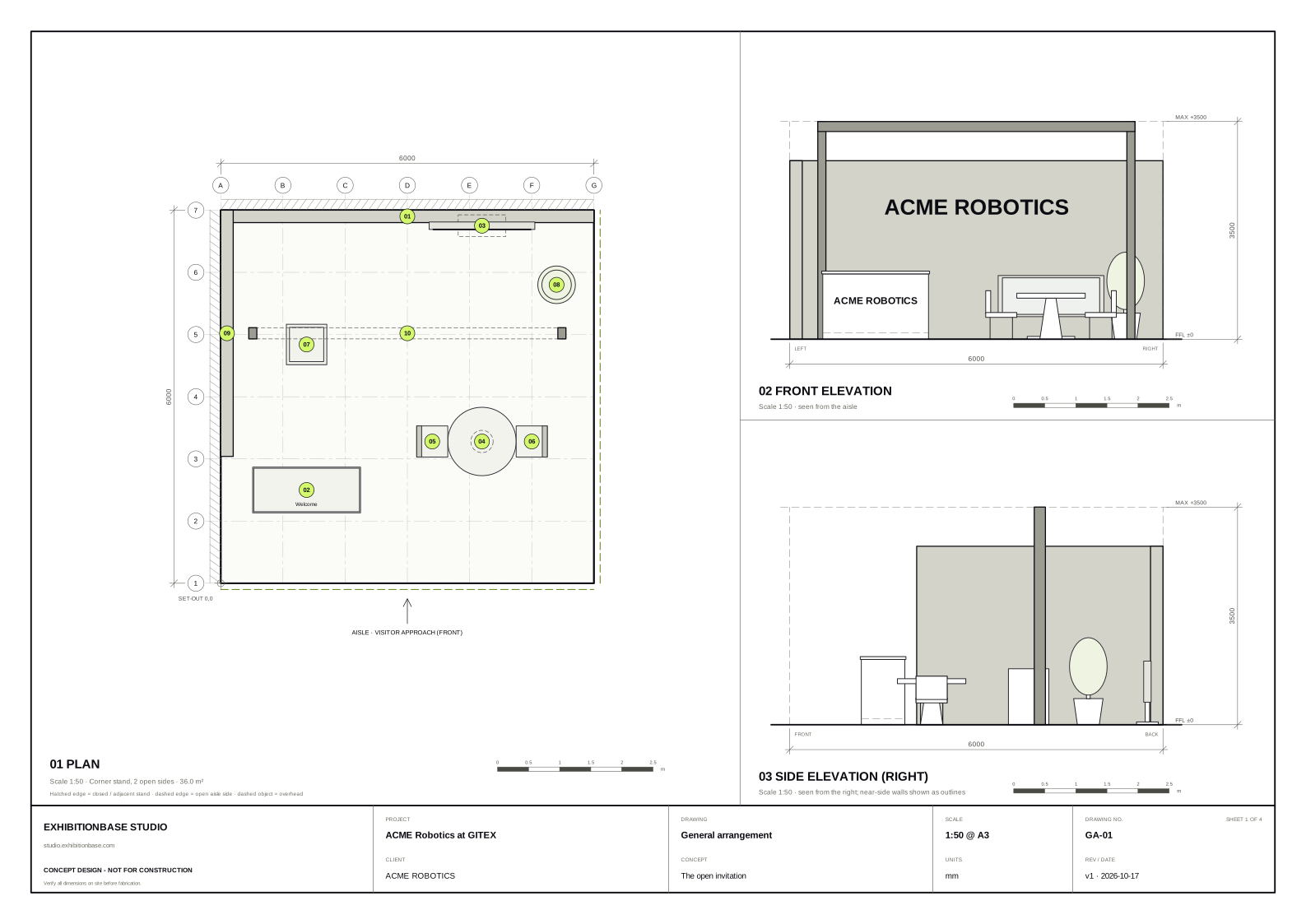
This sample for ACME Robotics uses a 36 m² corner plot with two open aisles and a 3.5 m height limit. The reception point serves the main approach. A central display draws visitors in, with seating for a longer conversation and a screen on the rear wall.
Make a video of your own booth
- Start with the plot size and your brief in the 3D stand generator, or adapt an editable booth template.
- Open the 3D design and position your reception, exhibits, seating and screens.
- Choose a video mode from the 3D view and export an MP4 or WebM. You can export a new video after changing the layout.
Which camera view should you use?
- Walkthrough
- Follow a visitor from the aisle. Use this to review where people enter, what they spot first and how they reach the meeting area.
- Cinematic reveal
- Start high and move down towards the front of the stand. Use this for a pitch when you want to establish the footprint before revealing its details.
- Orbit
- Rotate around the booth in 360 degrees. This is useful for peninsula and island stands where the approach from each aisle matters.
Use a photoreal booth render for materials, logos and lighting in the proposal. The walkthrough, technical drawings and CAD export help the client and contractor review the layout together.
Your next stand
Create a booth worth walking through.
Start with your brief and plot, then edit the 3D design and export it for the client.