AI booth designer
An AI booth designer that designs in 3D, not in pixels
Image generators can make an impressive booth that no one could build at your size. Studio's AI designs the stand as 3D objects inside your footprint and height limit, checks the layout works for visitors, and keeps the renders and drawings in step with it.
5 free credits · no card needed
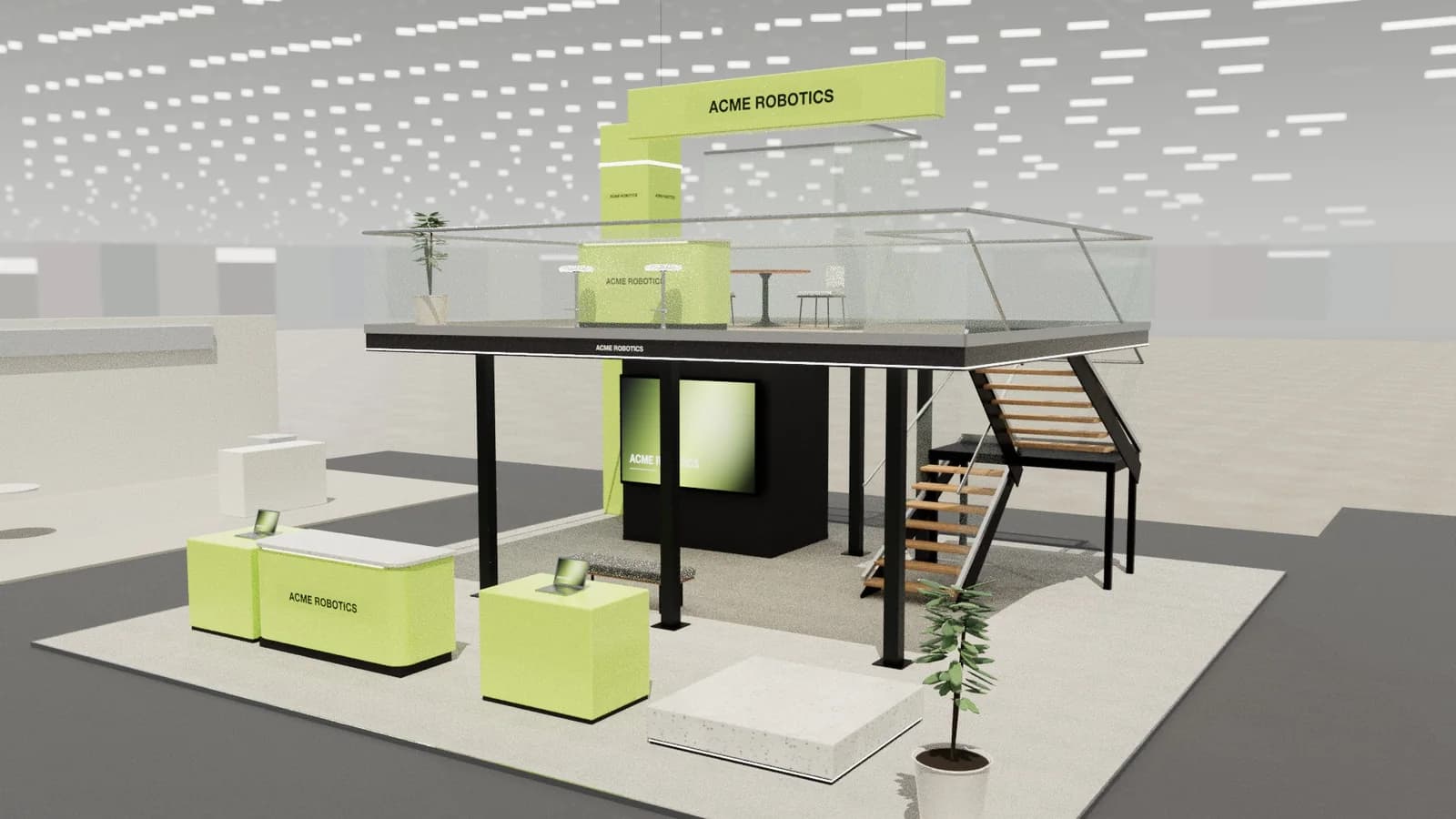 10 × 10 m · double-deck island
Brief
acme-robotics.com
Photoreal render
Show day · 2K
Create renderIn short
An AI booth designer is software that creates an exhibition stand or trade show booth design from a description. ExhibitionBase Studio works from your brief and the brand's website and designs in 3D: a complete concept at your exact stand size and type, checked for buildability (seats and counters people can reach, doors on enclosed rooms, stairs that reach their decks, screens that are not hidden). You can then ask for changes in a sentence, render the stand and export CAD drawings of the same design.
AI booth designer
What you get.
Designs objects, not an image
Walls, counters, screens, seating and decks are separate 3D objects at real dimensions, so the design can be measured, edited and drawn.
Checks that it can be built
Concepts are checked for reachable seats and counters, doors on enclosed rooms, stairs that reach their decks and screens that are not hidden behind walls.
Learns the brand from its website
Paste the address and Studio reads what the company sells, who it sells to, its colours, tone and logo. Review and edit what it found before designing.
Changes in plain English
"Add a private meeting room", "open up the corner", "move the bar to the aisle": one sentence reworks the design for 3 Studio credits.
Follows reference images
Add mood images or a previous stand as references alongside the brief, and the concepts take their cues while staying inside your space.
One design, every output
Renders, plans, elevations, DXF and 3D models all come from the same design, so the picture the client approves matches the drawing the builder quotes.
How it works
Three steps, no CAD skills needed.
- 01
Brief the AI
Stand size, open sides, height, must-have zones and the brand's website. Paste or import the client's PDF brief and add reference images.
- 02
Review the concept
The AI designs a complete concept. Check visitor routes, product visibility and meeting space, then refine it.
- 03
Refine, render, export
Ask for changes in a sentence or edit by hand, render the result and export the drawing pack.
Goes in
What Studio uses
- Brand website
- Brief or PDF
- Stand size, sides and height
- Must-have zones
- Reference images
- Logo
Comes out
What you get back
- Three AI 3D concepts
- Plain-English design changes
- Photoreal renders
- Plan, elevations and schedule
- DXF, PDF, GLB and OBJ
- DXF
AutoCAD, BricsCAD, DraftSight
- PDF
A3 drawing pack with render
- SVG
Plan & elevation sheets
- CSV
Object schedule for quoting
- GLB
Blender, Unreal, web viewers
- OBJ
Rhino, 3ds Max, Cinema 4D
- WEBP
1K or 2K renders
- MP4
Walkthrough, reveal or orbit video
FAQ
Good to know.
01How is this different from an AI image generator?
An image generator paints a picture of a booth; size, structure and layout are guessed and cannot be measured. Studio's AI places 3D objects inside your real footprint, so the design can be edited, rendered from any angle and exported as dimensioned drawings.
02Can the AI design double-deck stands?
Yes. Studio supports single, double and triple-deck stands, and checks that stairs reach the deck they serve. Upper decks still need structural engineering and venue approval through your stand builder.
03Does the AI replace a stand designer?
It speeds up the concept stage: a brief becomes three editable options in minutes. Designers use it to explore and pitch faster, then apply their own judgement on materials, detailing and the client's priorities.
04Can a stand builder build from these designs?
Studio produces dimension-controlled concept designs with plans, elevations and a schedule that are accurate to the 3D model, which is ideal for pitching, quoting and planning. Structure, rigging, electrics, fire safety and venue approvals still need your stand builder and the organiser.
05How much does Studio cost?
Studio runs on credits. Every workspace gets 5 starter credits once. Buy more when you need them: no subscription, no monthly charges and purchased credits never expire. An AI stand design costs 5 credits, a render 5 (8 in 2K) and image to CAD 4. Editing, drawings and exports are free. Top-up packs start at 100 credits for $15.
More in Studio
Keep going.
Your next stand
Design the stand before the client asks twice.
Start with 5 free credits: enough for a complete AI stand design. Editing, drawings and exports are always free.
