AI booth render generator
Booth renders that start from the brief, not a blank prompt
Most AI image tools invent a stand. Studio first builds it in 3D at your exact size, with the brand's real colours and logo, then renders that model. The picture shows a stand you can actually build.
5 free credits · no card needed
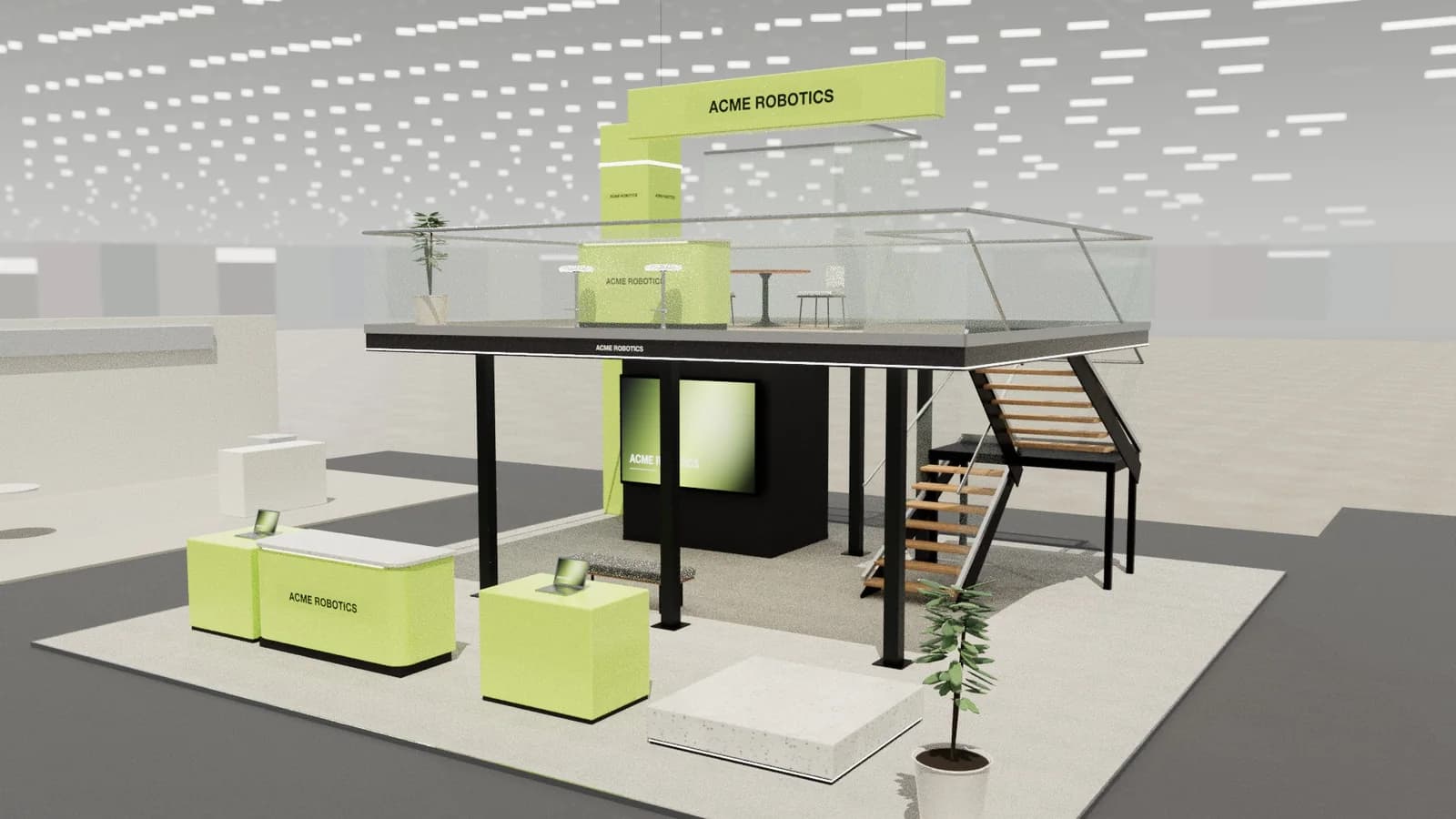 10 × 10 m · double-deck island
In short
An AI booth render generator creates photorealistic images of a trade show booth or exhibition stand. ExhibitionBase Studio builds the stand as a dimension-controlled 3D model from your brief and the brand's website, then renders the camera angle you choose (show day, evening event or clay model) at 1K or 2K, with the brand's logo on the stand.
Booth render generator
What you get.
Renders that match the model
Each render follows the 3D layout, heights, open sides and camera angle, so the client sees the stand you will quote.
The brand, read from its website
Paste the website and Studio picks up what the company sells, its colours and its tone, and writes them into the render.
Your logo on the stand
Upload the logo, or let Studio take it from the website. Renders place it on the brand wall and counter.
Choose the angle
Frame the shot in 3D: three-quarter view, eye level from the aisle, front or top. The render keeps that camera.
Three looks
Busy show-day lighting, an evening event with glowing screens, or a white clay model for early reviews.
1K or 2K, 16:9
Standard renders cost 5 Studio credits, 2K renders 8 Studio credits. Failed renders are refunded automatically.
How it works
Three steps, no CAD skills needed.
- 01
Write the brief
Stand size, stand type, must-haves and the brand's website. Import a PDF brief if you have one.
- 02
Get a 3D concept
Studio designs a complete concept. Move things around or ask AI for changes.
- 03
Render it
Set the camera, choose a look and render. Share the image or a live 3D review link with the client.
Goes in
What Studio uses
- Brand website
- Brief or PDF
- Stand size and type
- Logo
- Reference images
Comes out
What you get back
- 1K or 2K render (WebP)
- 3D view snapshot (PNG)
- Walkthrough, reveal or orbit video
- Client review link
- DXF
AutoCAD, BricsCAD, DraftSight
- PDF
A3 drawing pack with render
- SVG
Plan & elevation sheets
- CSV
Object schedule for quoting
- GLB
Blender, Unreal, web viewers
- OBJ
Rhino, 3ds Max, Cinema 4D
- WEBP
1K or 2K renders
- MP4
Walkthrough, reveal or orbit video
FAQ
Good to know.
01How much does a booth render cost?
A render uses 5 Studio credits, or 8 in 2K. New workspaces get 5 starter credits once, and one-time packs start at 100 credits for $15.
02Will the render match the stand's dimensions?
The render is made from your 3D model and camera, so the layout, footprint and heights are followed. AI can vary small details such as textures, graphics and props; the 3D model and the drawings carry the exact dimensions.
03Can I render a stand from just a brief?
Yes. Paste or import the brief and add the brand's website. Studio creates a 3D concept and you render it. You never have to model anything yourself.
04Can clients review the renders?
Share a version with a review link. Clients see the render, explore the stand in 3D and leave comments or an approval, which appear in your project.
05How much does Studio cost?
Studio runs on credits. Every workspace gets 5 starter credits once. Buy more when you need them: no subscription, no monthly charges and purchased credits never expire. An AI stand design costs 5 credits, a render 5 (8 in 2K) and image to CAD 4. Editing, drawings and exports are free. Top-up packs start at 100 credits for $15.
More in Studio
Keep going.
Your next stand
Design the stand before the client asks twice.
Start with 5 free credits: enough for a complete AI stand design. Editing, drawings and exports are always free.
