Trade show booth design
Design your trade show booth in 3D before you brief the builder
Booth space is booked by the foot, but the decisions are about people: where they enter, what they see from the aisle and where you talk to them. Studio lays out three 3D booth designs at your booth size so you can walk through those decisions before paying for production.
5 free credits · no card needed
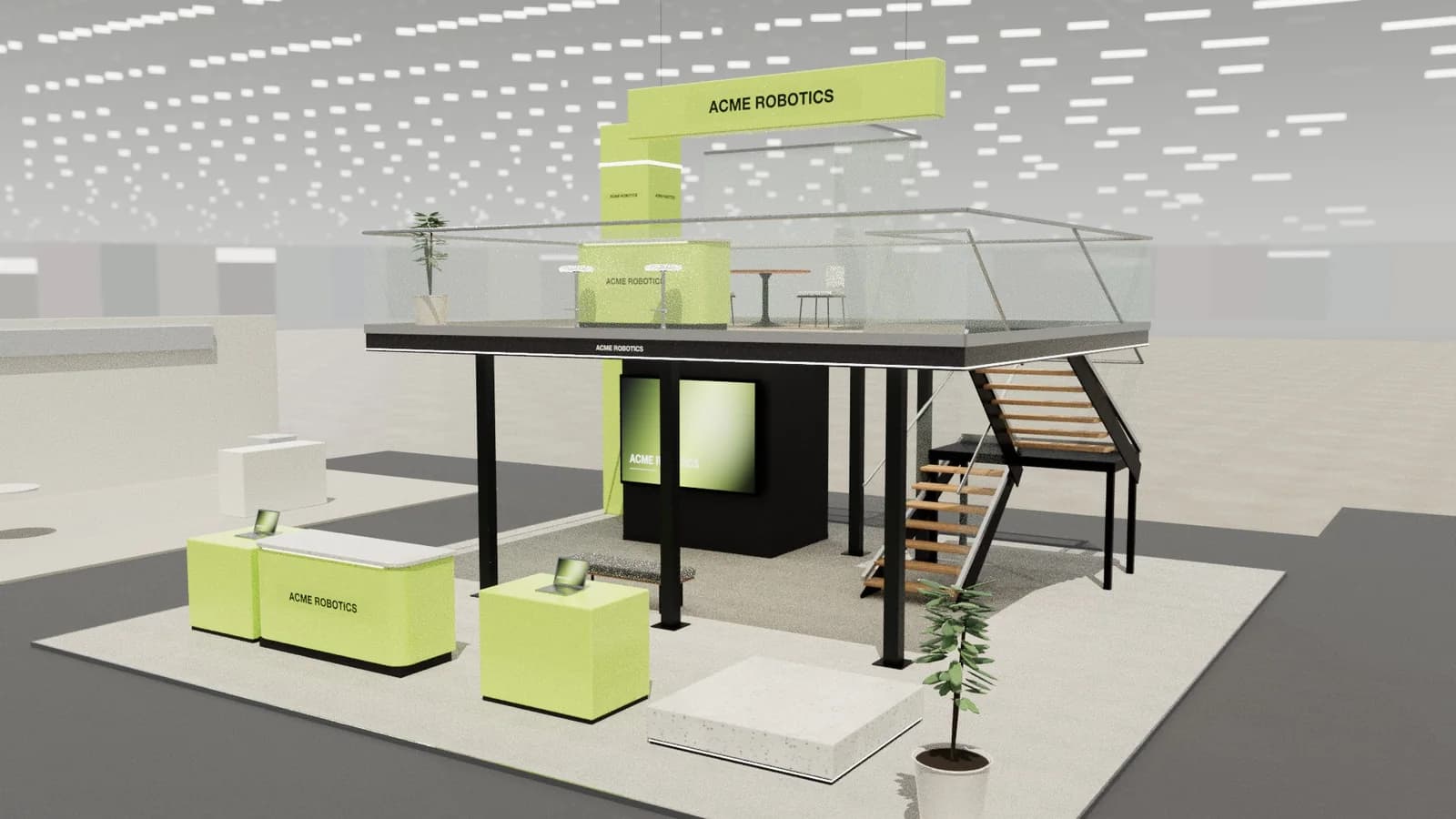 10 × 10 m · double-deck island
Brief
acme-robotics.com
Photoreal render
Show day · 2K
Create renderIn short
Trade show booth design is planning the layout, structure and graphics of an exhibit for its booth space. ExhibitionBase Studio designs it in 3D: enter the booth size (a 10 × 10 ft booth is about 3 × 3 m, 10 × 20 ft about 3 × 6 m and 20 × 20 ft about 6 × 6 m), whether it is inline, corner, peninsula or island, and what the booth must do. AI returns an editable 3D concept, then you render it and export plans, elevations and a DXF for your exhibit house.
Trade show booth design
What you get.
Every common booth size
10x10 and 10x20 inline booths, 20x20 islands and anything up to 900 m² of floor (2 to 60 metres a side), with a maximum height up to 8 metres.
Inline, corner, peninsula or island
Set the open sides and Studio keeps back walls, entrances and sightlines where the hall rules expect them. Inline booths are Studio's row stands.
A complete booth layout
One request for 5 Studio credits gives a finished layout with demo, meeting, reception and storage zones placed inside your booth.
Graphics in the brand's colours
Add the company website and logo. Studio picks up the brand's colours and offer, so the back wall, counter and headers look like the exhibitor rather than a stock booth.
Renders for sign-off
Render the booth from the aisle in show-day, evening or clay style for 5 Studio credits, then share a 3D review link so your team can comment before you commit.
Drawings your exhibit house can quote
A dimensioned plan, elevations and an object schedule as PDF, plus a layered DXF and GLB or OBJ model. Drawings and exports are free.
How it works
Three steps, no CAD skills needed.
- 01
Enter the booth
Booth size in metres (10 × 10 ft is about 3 × 3 m), open sides, height limit from the show's exhibitor manual, plus the products, demos and meetings the booth must support.
- 02
Pick and edit a layout
Compare three 3D booth designs, open one and move, resize or add counters, screens, seating and storage. Manual edits are free.
- 03
Render and hand over
Render the booth for approval, export the drawing pack and send it to your exhibit house to quote, engineer and build.
Goes in
What Studio uses
- Booth size and open sides
- Show height limit
- Company website and logo
- Products and demos
- Meeting and storage needs
- Exhibitor manual notes
Comes out
What you get back
- Three 3D booth layouts
- Photoreal booth renders
- Plan and elevations
- Layered DXF drawing
- GLB and OBJ models
- 3D review link
- DXF
AutoCAD, BricsCAD, DraftSight
- PDF
A3 drawing pack with render
- SVG
Plan & elevation sheets
- CSV
Object schedule for quoting
- GLB
Blender, Unreal, web viewers
- OBJ
Rhino, 3ds Max, Cinema 4D
- WEBP
1K or 2K renders
- MP4
Walkthrough, reveal or orbit video
FAQ
Good to know.
01Can I design a 10x10 trade show booth?
Yes. Enter 3 × 3 m (10 × 10 ft is 3.05 m a side) as an inline booth with one open side. Studio keeps the layout inside that footprint, which matters most on small booths where every counter and screen competes for floor space.
02Does Studio work in feet?
Studio works in metres and millimetres, the units of its CAD export. Convert booth sizes before you start: 10 × 20 ft is about 3 × 6 m and 20 × 20 ft about 6 × 6 m. Your exhibit house can redimension the DXF in feet if it needs to.
03Will an exhibit house build from these files?
The renders, plan, elevations and schedule make a clear design brief for quoting. The exhibit house still engineers the structure, electrics, rigging and show approvals, and checks dimensions against the exhibitor manual.
04Is there a free way to try it?
Yes. A new workspace gets 5 starter credits once, enough for a complete AI booth design. More credits are one-time purchases with no subscription.
05Can a stand builder build from these designs?
Studio produces dimension-controlled concept designs with plans, elevations and a schedule that are accurate to the 3D model, which is ideal for pitching, quoting and planning. Structure, rigging, electrics, fire safety and venue approvals still need your stand builder and the organiser.
More in Studio
Keep going.
Your next stand
Design the stand before the client asks twice.
Start with 5 free credits: enough for a complete AI stand design. Editing, drawings and exports are always free.
